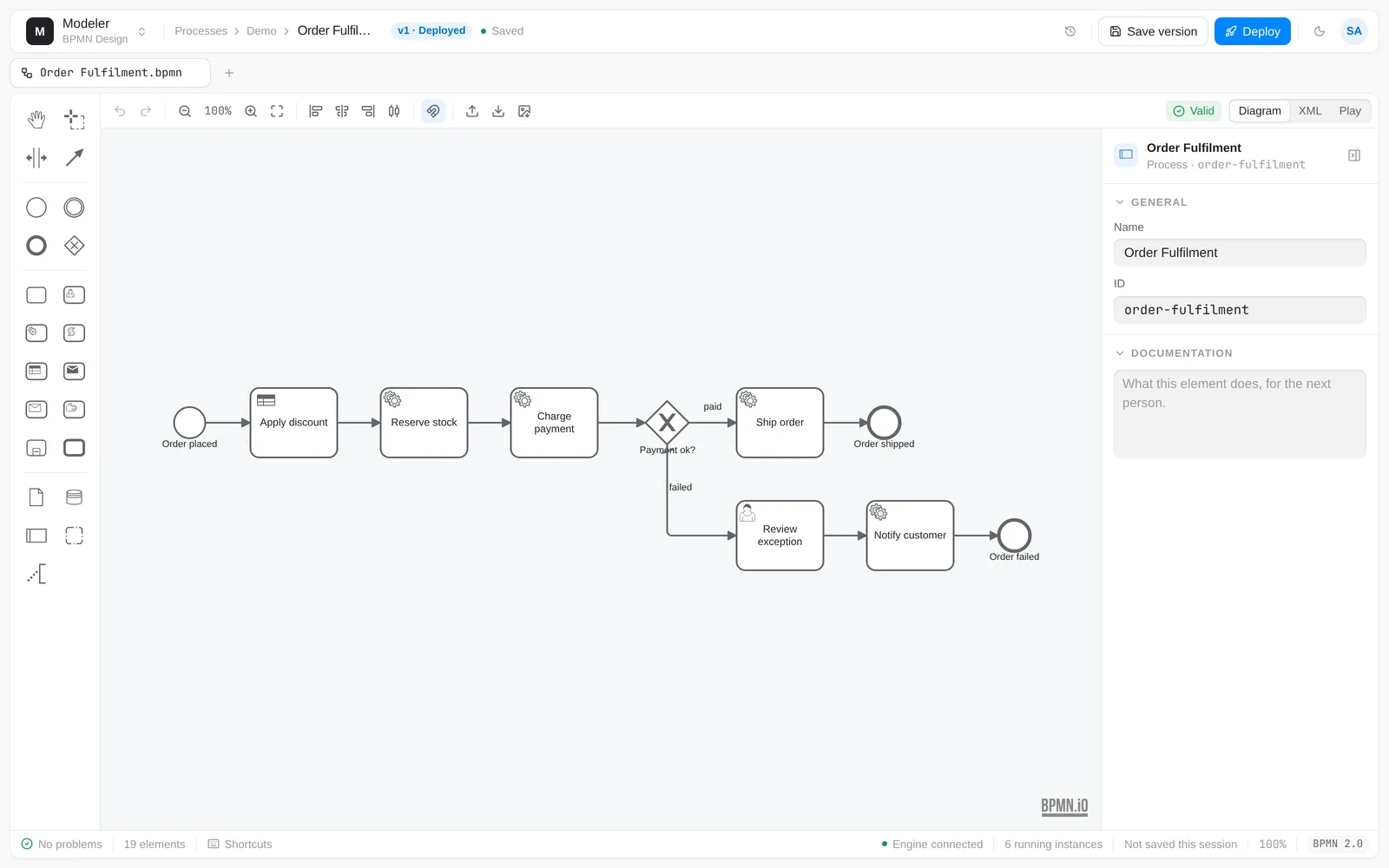

The element palette, the properties panel and the problems panel sit around the canvas. Problems come from bpmnlint plus a rule pack mirroring the engine’s own checks, so the panel is a preview of the deploy, not a second opinion.
Product tour
Every image below is a screenshot of Sheptra running, not a mockup. Drag any figure to see the same screen in light and dark — the applications are built on one set of design tokens, so both themes are the same software.
A BPMN and DMN editor that knows what the engine will accept. Validation is the engine’s own rule set running in the page, so a diagram that lints clean here deploys clean.
The element palette, the properties panel and the problems panel sit around the canvas. Problems come from bpmnlint plus a rule pack mirroring the engine’s own checks, so the panel is a preview of the deploy, not a second opinion.
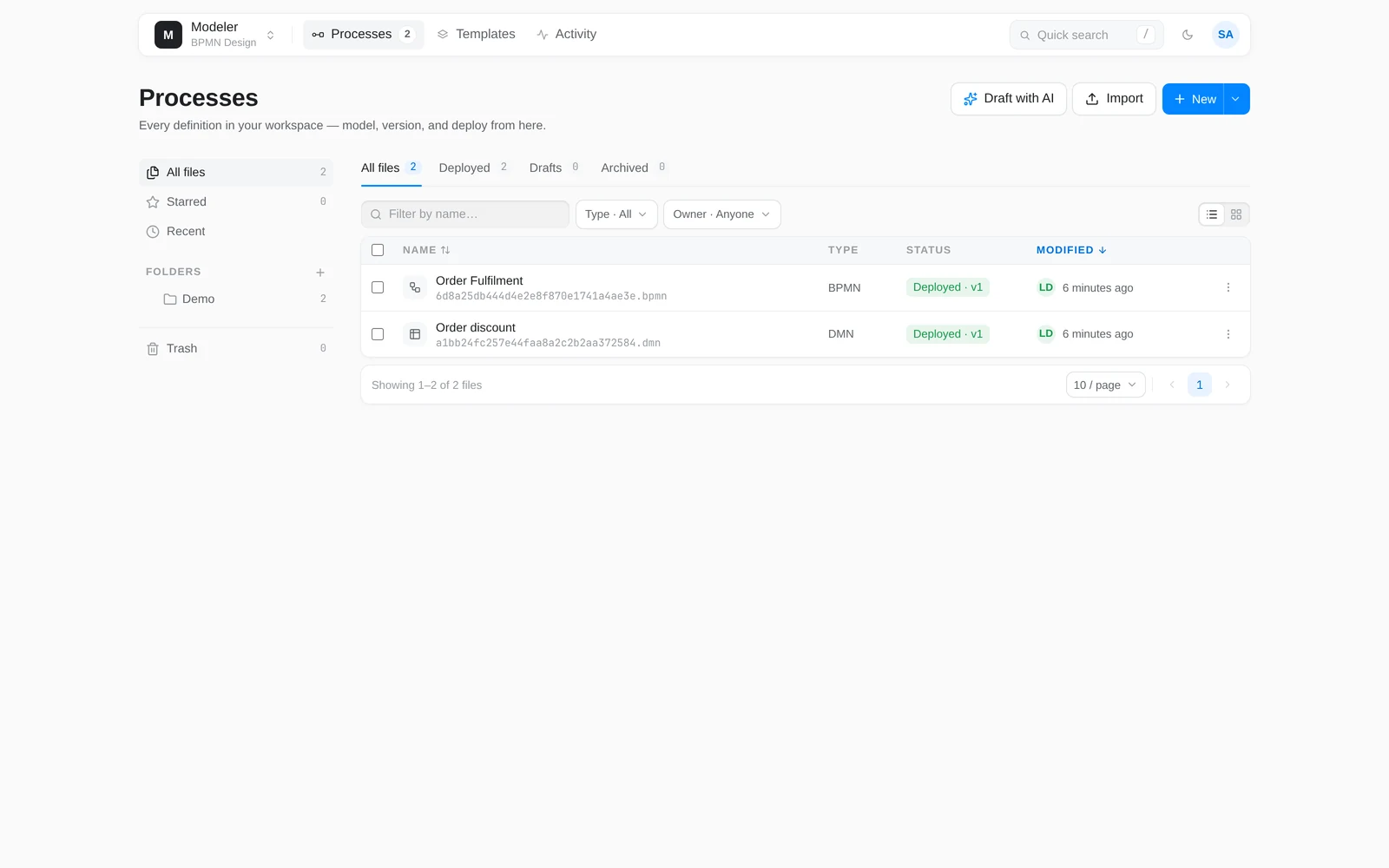
Folders, drafts and deployed versions in one list. Deployment state travels with the file, so “which version is in development” is answered where you edit rather than in another console.
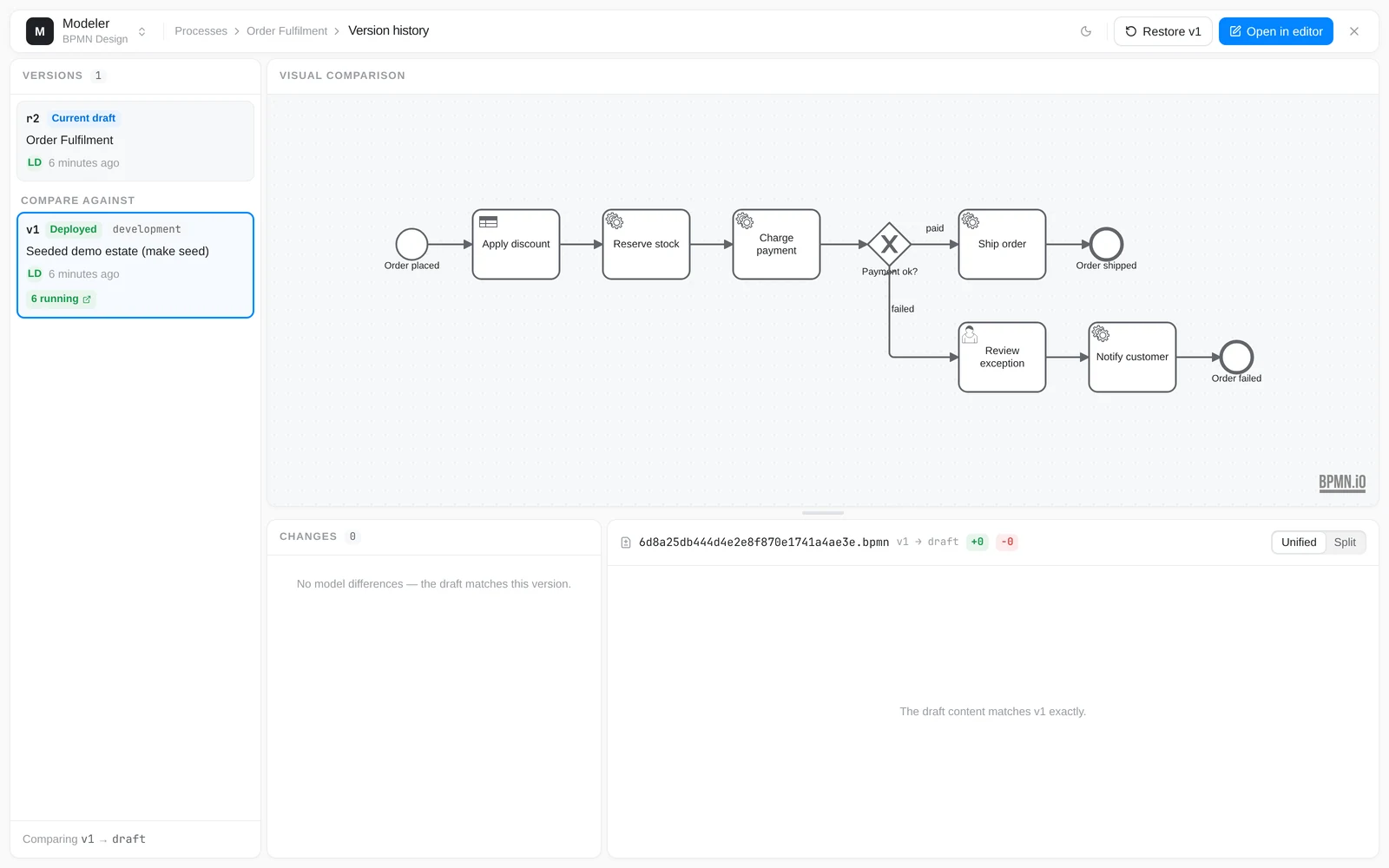
Every deploy snapshots a version. The diff is visual first — what moved on the canvas — with the element change list and the raw XML behind it.
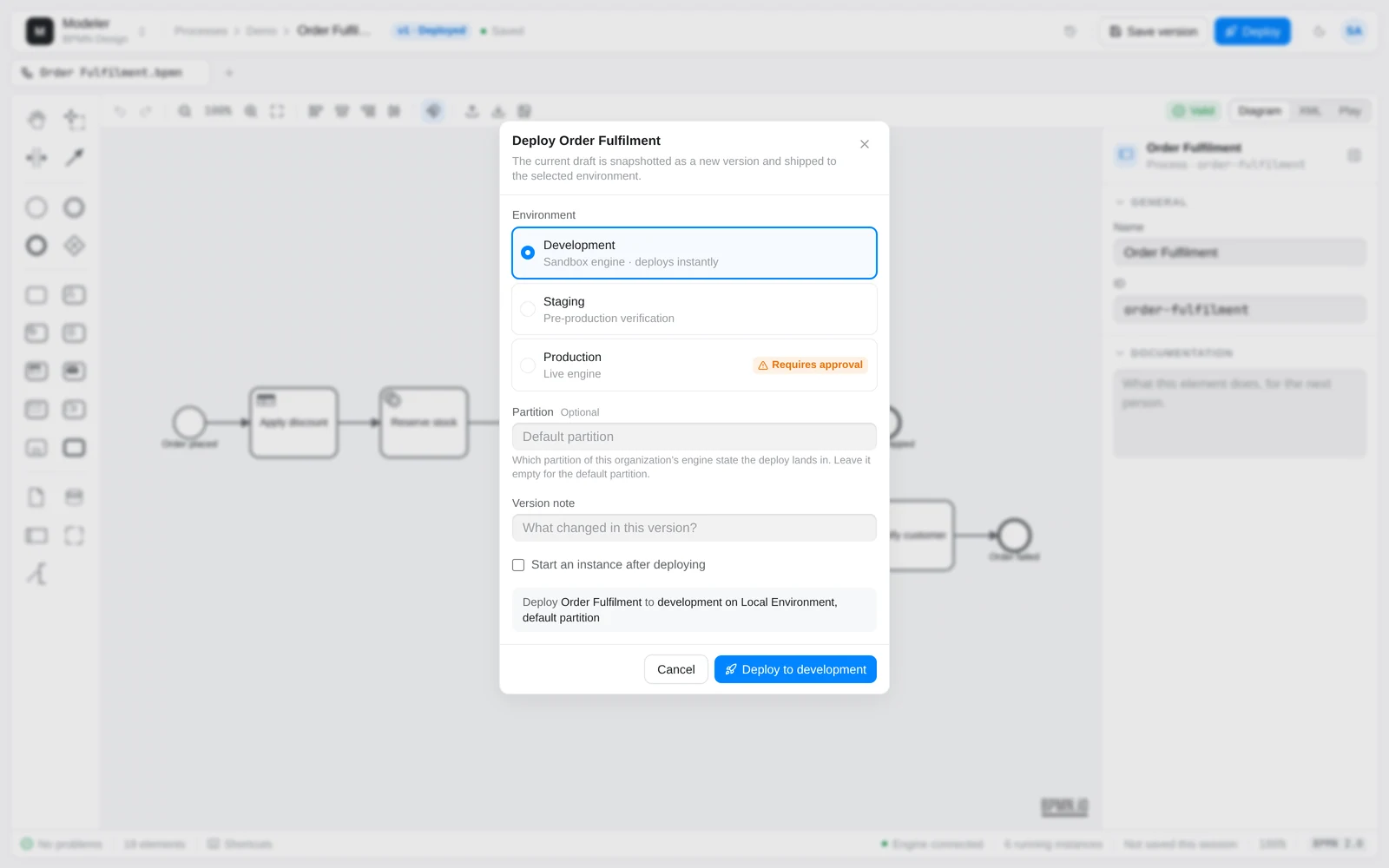
A deploy names an environment, not a server. Development and staging go straight through; production is marked as requiring approval, so the same button means something different depending on where it points.
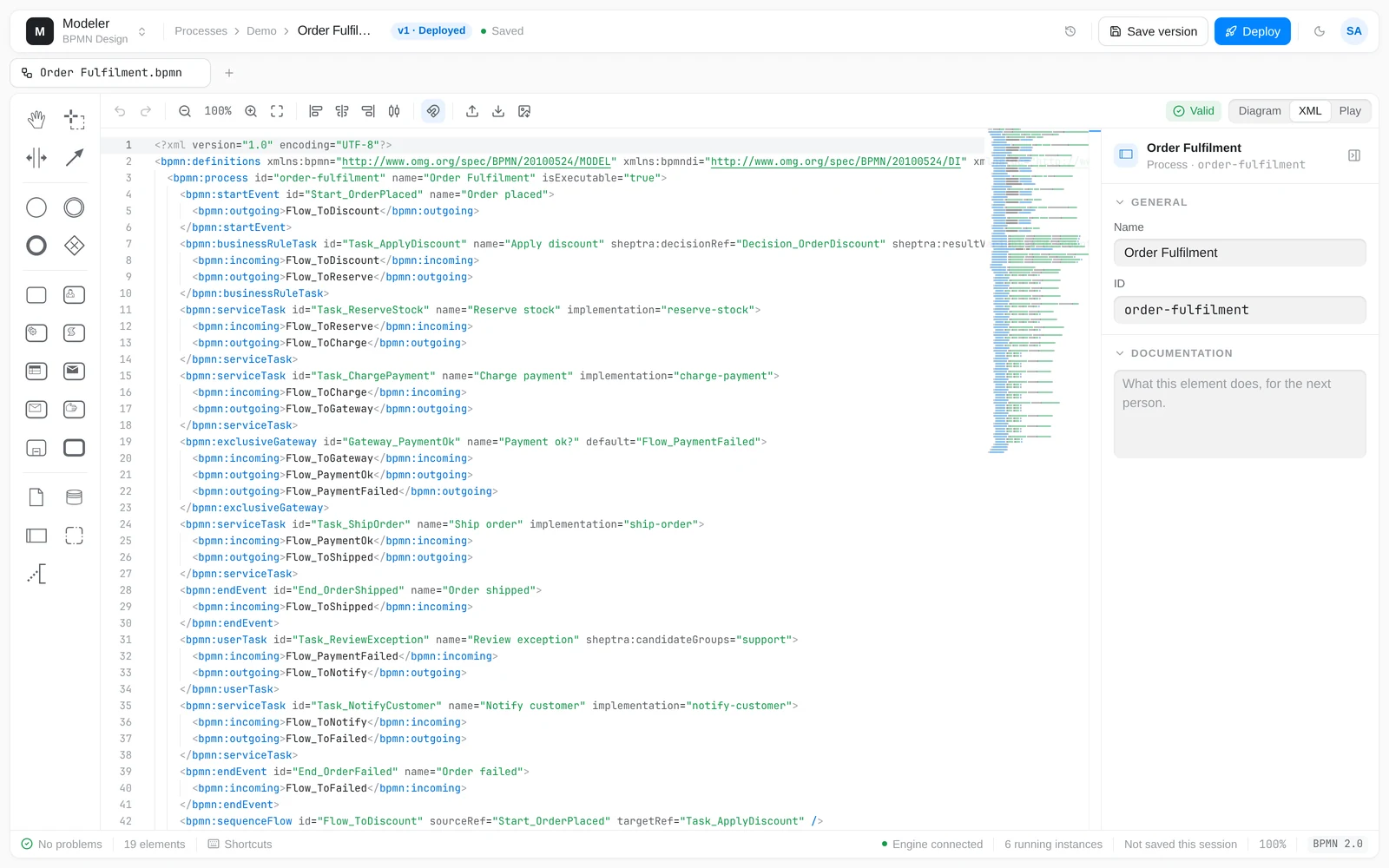
It is a BPMN 2.0 file, not our format — here it is, two-way synced with the canvas. Edit either side. Anything the engine will reject is a problem in the panel before it is an error on deploy.
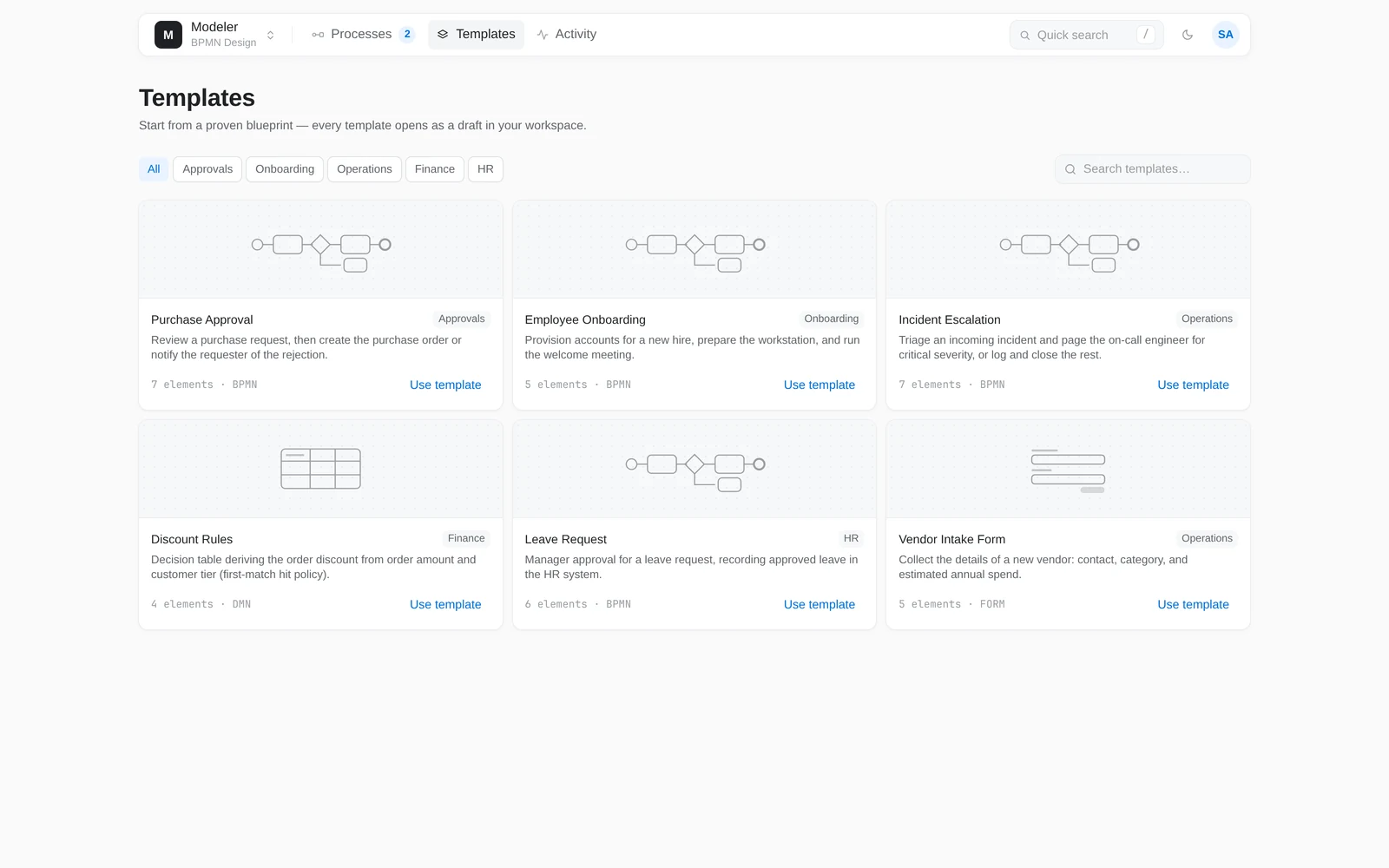
Six blueprints ship with the product, covering approvals, onboarding, escalation and a DMN decision table. They are starting points, not a marketplace — a connector catalogue is still roadmap.
Captured from a Sheptra development stack on 17 September 2026, running the Order Fulfilment example the quickstart deploys. No image has been retouched.


